


All Order Activity
We’re excited to introduce a new feature in the R.S. Hughes Customer Self-Service Web Portal: All Order Activity.
This update lets you view every order placed with R.S. Hughes — whether by web, email or phone — along with tracking details and related documents.
Follow these steps to access All Order Activity:
Step 1
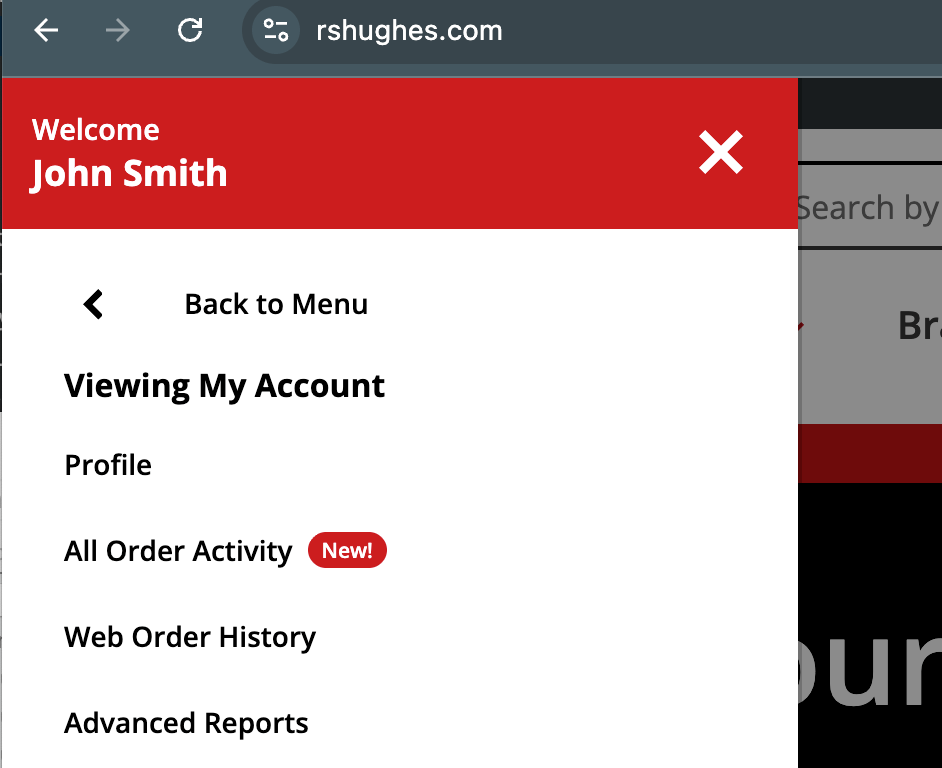
From the R.S. Hughes homepage, open the All Menu and select My Account.
Step 2
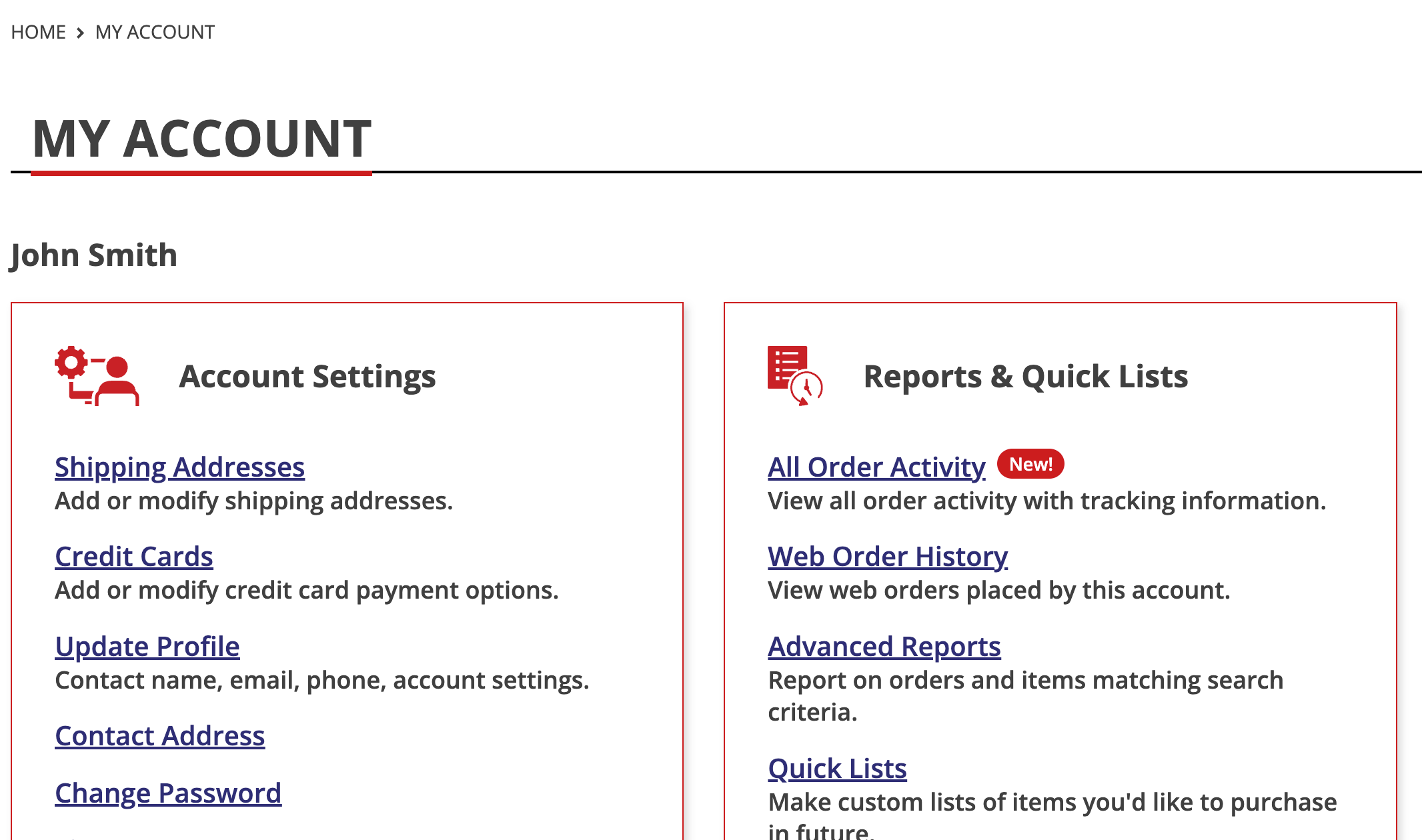
On the My Account page, look under Reports and Quick Links. Open the New "All Order Activity" Page.
Step 3
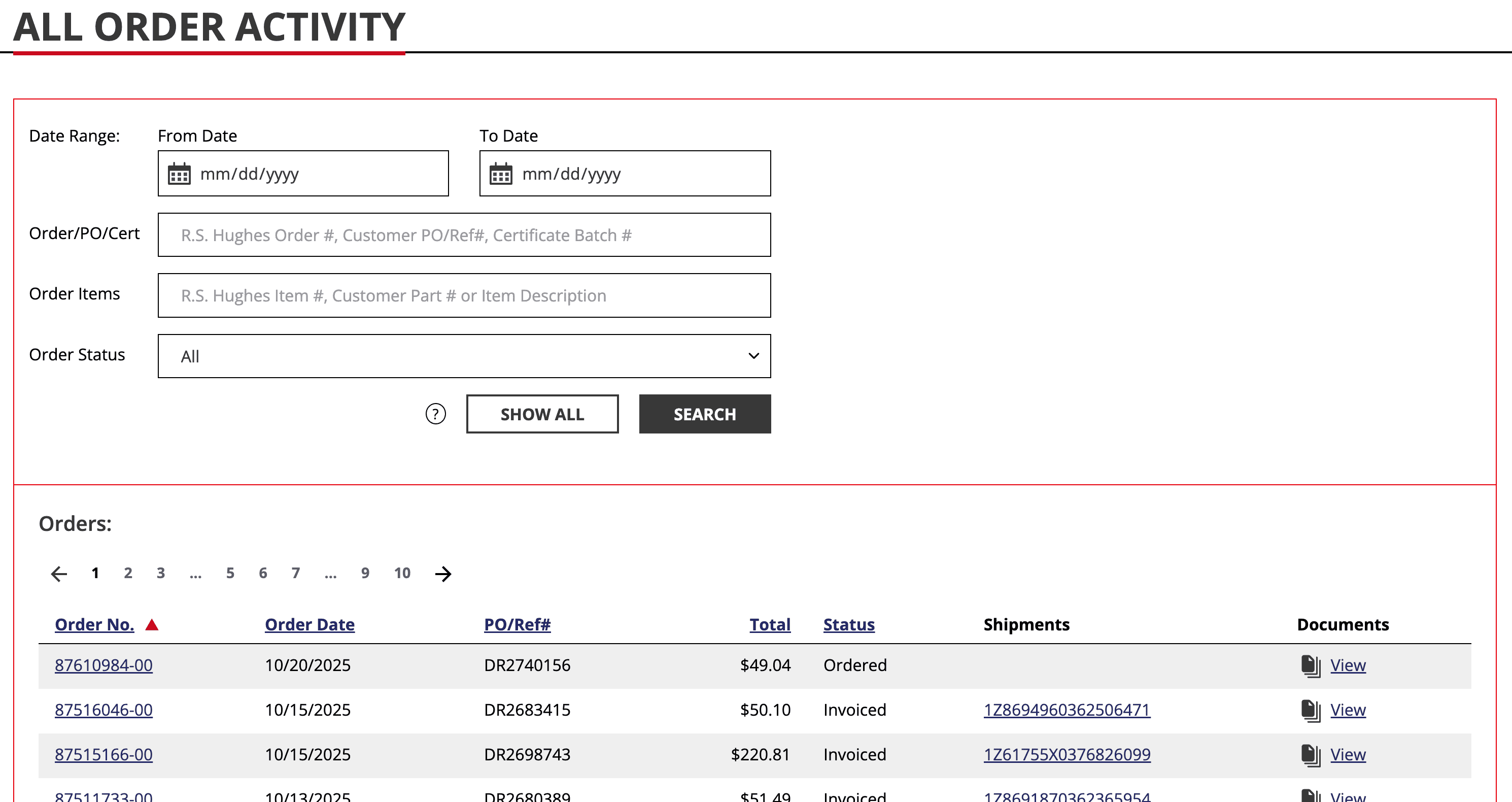
See all your orders in one place — including order status, tracking info and related documents like acknowledgements, pick tickets, invoices and certificates.
Use filters for date range, PO/certificate batch/customer part/order number, R.S. Hughes item code, item description or order status to quickly find what you need.
Step 4
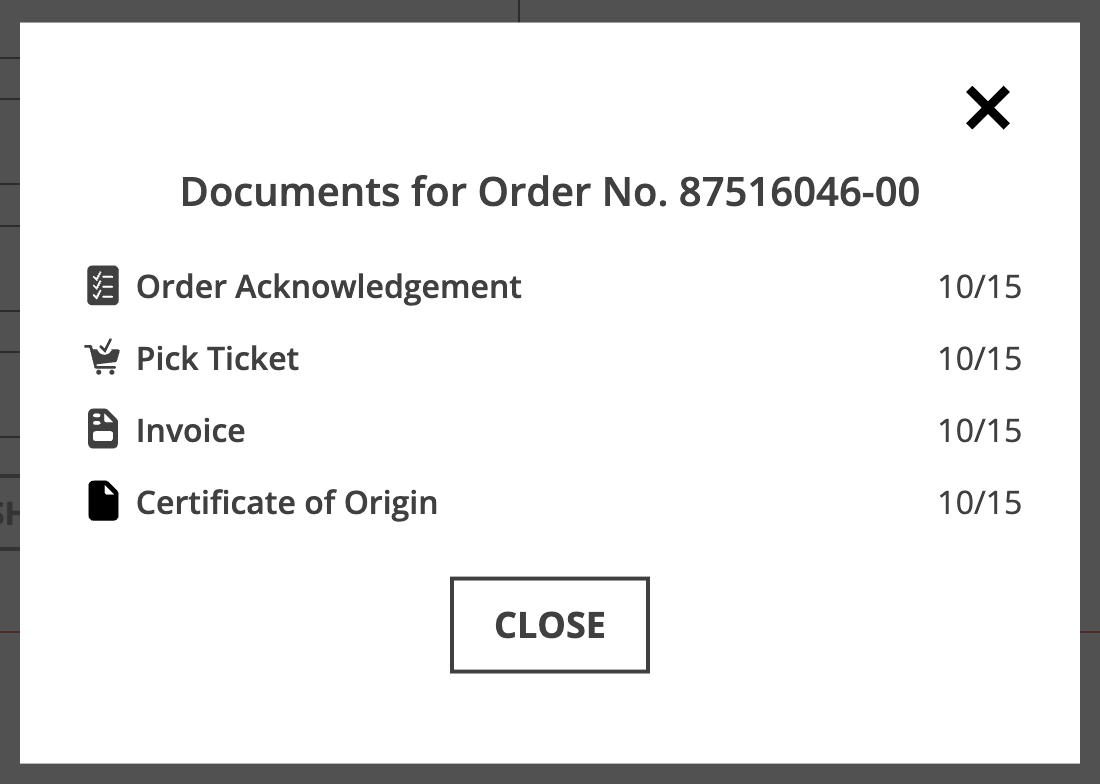
Select the Order No. or click View to open available documents. A pop-up will display all documents for that order — each can be viewed, printed or downloaded.
The new All Order Activity page makes it easier than ever to find, track and manage your R.S. Hughes orders, all in one place.
If you have any questions or feedback about these new features, please don't hesitate to contact contact Customer Care at 877-774-8443 or via email.
As always, thank you for choosing R.S. Hughes for all of your industrial supply needs.
— R.S. Hughes Team
